

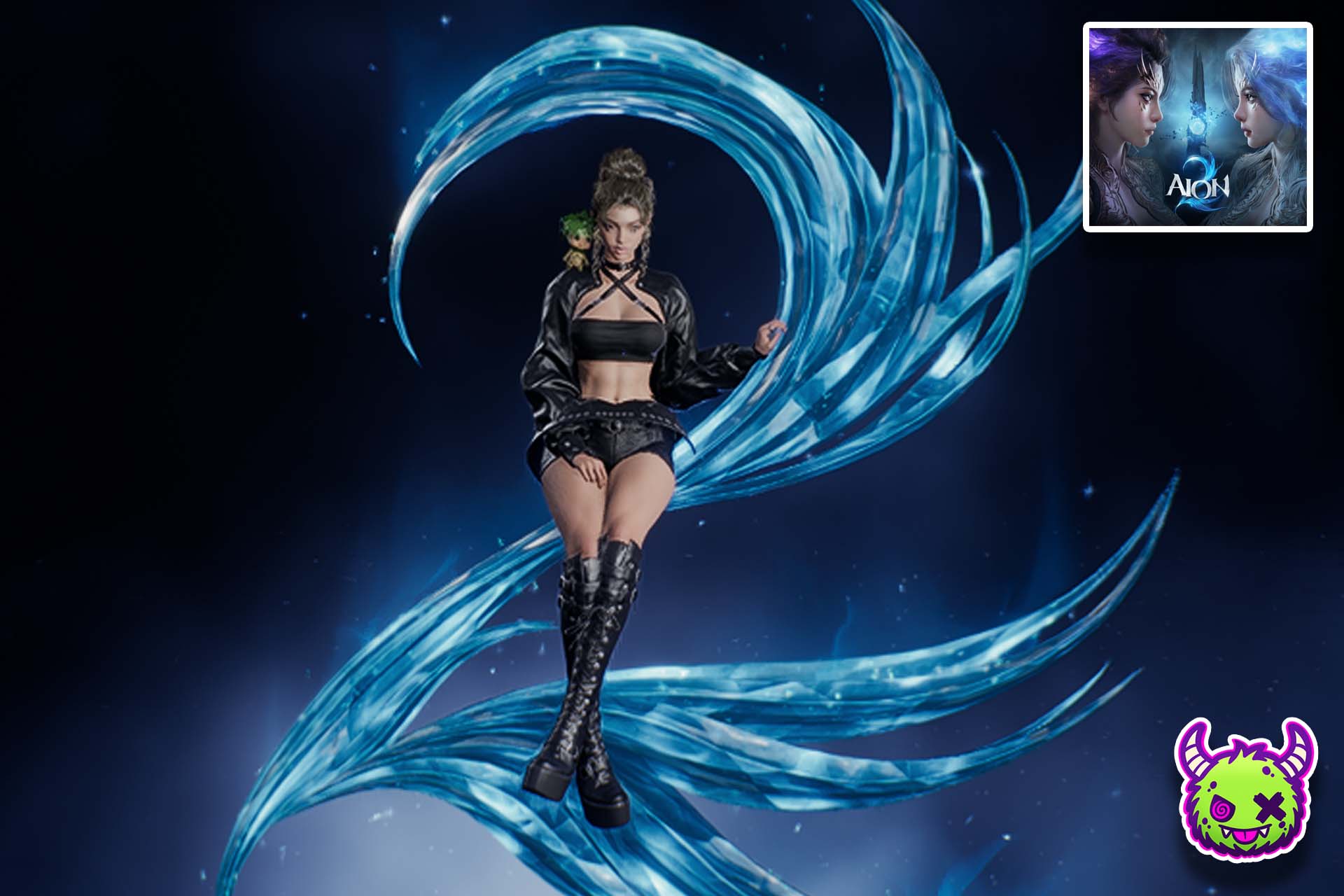
Aion 2 is running a limited-time Twitch drops promo, giving players a slim window to claim a new outfit for free. This promotion is part of the War for Atreia event, which was initiated in celebration of the Aion 2 global launch.
Players will need to meet watch-hour requirements on eligible Twitch streams in order to claim the rewards, but there is limited time remaining to secure these items, as the event ends on October 14, 2026. If you’re wondering how you can get your Aion 2 account set up for Twitch drops and how to claim the free Leather Crop outfit, then this guide can walk you through the process.
How to Get Leather Crop Fit in Aion 2

To get the Leather Crop outfit in Aion 2, players will need to connect their Aion 2 account to their Twitch and then meet a specific amount of time in hours watched from participating streams.
Tip: Eligible drops channels can usually be identified in their stream title, with something such as !!DROPS!! or [DROPS] indicating that these items can be earned through those particular streams.
After meeting these milestones, the items will appear in a user’s Twitch drops on their profile, where they can then be sent to their Aion 2 accounts. You can then retrieve your rewards inside the game through your in-game mailbox.
All Aion 2 War for Atreia Twitch Drops

| Watch Time | Reward | Preview |
|---|---|---|
| 30 minutes | Odyle Energy (Bound) x4 |  |
| 1 hour | Skin Chest (Bound) x10 |  |
| 2 hours | Resurrection Spiritstone (Bound) x15 |  |
| 4 hours | 1x Leather Crop Fit |  |
How to Connect Your Aion 2 Account to Twitch & Enable Drops

To connect your Aion 2 account to Twitch, players will need to follow a few easy steps. These steps have been laid out for you below, making the process as simple as possible:
- Open up this website: HERE
- Select the platform you are playing on.
- You will be prompted to sign in with the account the game is downloaded on. This will most likely be your Steam account.
- Verify your age if you are prompted to.
- You will now be asked to confirm authorization between NC Corporation (Aion 2) and Twitch. Select Authorize.
- Your Twitch account is now connected!
You can now simply tune into the eligible streams to accumulate the required number of hours watched. The Leather Crop set is the final item that can be earned in these drops, with four hours of watch time needed.
If you have no interest in watching streams, then you can always leave Twitch open on a mobile device or a separate browser tab while you play something else, get caught up on some work, or even while you’re sleeping.
Just remember that if you choose to do this and want to mute the stream, you should mute it on the browser tab itself, not via the stream player. This is because the latter has been known to cause errors with the watch time being properly registered. You don’t want to miss out on your drops, after all!


You must be logged in to post a comment.